


Galaxy S26 Ringtones & Sounds
4.420.00 Reviews
App Specs
- Version
- 23.5
- Updated On
- License
- Free
- Downloads
- 100,000+
- Developer
- Vanita_dev
- Categories
- Libraries & Demo
- Platform
- Android
Screenshots
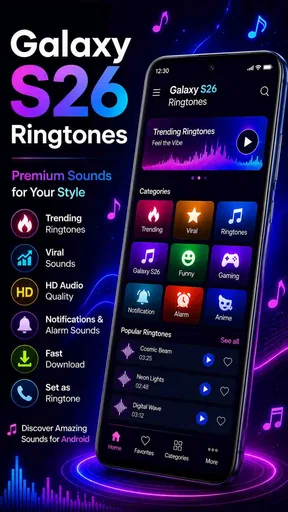
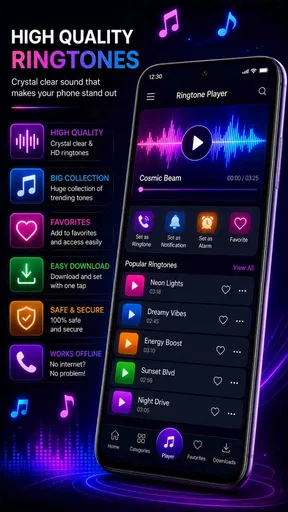
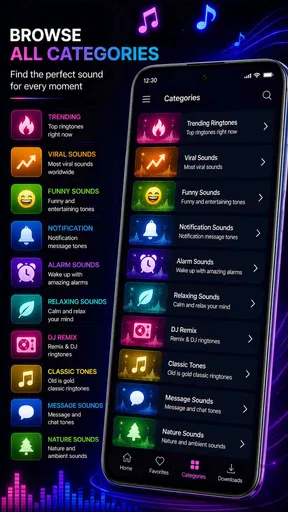
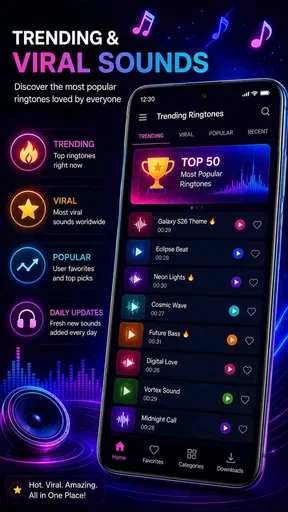
 Analysis by AppCompare
I find ringtone apps most useful when they make a small, clear change to how a phone feels each day. Galaxy S26 Ringtones & Sounds is aimed at that simple job: offering sounds you can use for calls, notifications, and alarms. It is a free Android app from Vanita_dev in the libraries and demo category, and its focus is much narrower than a full music or audio-editing tool. If you want a quick way to try a different sound without building one yourself, that focus is appealing.
Setting the Tone
The main decision is less about finding a sound and more about choosing one you can live with. A ringtone that seems fun during a preview may become grating after a week, while a notification sound needs to be noticeable without taking over a quiet room. I’d treat the selection as a small set of practical choices rather than a hunt for the loudest or most unusual clip. That approach makes a ringtone app more useful beyond the first few minutes.
When setup feels less simple
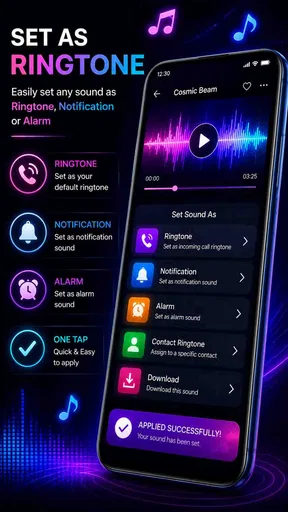
Even a straightforward sound app can leave you wondering whether a choice has actually taken effect. A preview is only a way to listen; it does not necessarily mean the sound is now assigned to a call, alarm, or notification. After choosing a clip, I’d check the relevant sound setting on the phone and confirm it there. This is especially useful if the app appears to accept a choice but an incoming alert still uses the old tone.
Android settings can distinguish between the default ringtone, an alarm tone, and notification sounds, and some phones also offer separate controls for individual contacts. Those choices are easy to mix up when changing several sounds in one sitting. I recommend changing one type at a time, then testing it before moving on. If a call tone changes but message alerts do not, that may simply mean the notification sound is controlled separately rather than indicating that the app failed.
Make the sound fit the situation
One useful way to approach the available sounds is to give each one a job. A ringtone can be distinctive enough to recognize from across a room, while a notification tone is better kept short and restrained. For an alarm, I’d choose something that remains clear at the volume I actually use in the morning, not just something pleasant at a low preview level. A sound that works well in headphones may feel very different when played through a phone speaker.
The app is a natural fit for someone who wants a quick personal touch without editing audio or searching through folders for files. It may also suit a household where several people want different alert styles, though each person should check their own phone’s settings after selecting a sound. If you already enjoy carefully editing clips, organizing a large audio library, or assigning a unique sound to every contact, a dedicated editor or the phone’s built-in tools may offer more control.
Easy Peasy Navigation
Navigating through the app is a breeze. Even if you’re not a tech wizard, you’ll find it super intuitive. Everything is laid out in a user-friendly manner, so you can dive right in without feeling overwhelmed. It’s like the app reads your mind, guiding you to what you need. And let’s be honest, who doesn’t love an app that just gets you?
Worth Reading Before You Choose

EA SPORTS FC Mobile 26 Is a Bigger Football Game, but It Takes Time

Flipboard Shows What News Apps Must Do Beyond the Feed

Switching to Android Auto Means Rethinking Your Driving Routine

Google Calendar Makes a Crowded Week Easier to Manage

Ludo King Makes the Most of the Minutes Between Plans

Baby Panda World Brings Quick Play to Modern Phones, but Its Game Library Feels Busy
For a realistic everyday test, I’d pick a possible ringtone, listen to it at a sensible volume, and then assign it before the next time I expect a call. I’d also send myself a test notification or set a brief alarm, depending on the sound I changed. This catches a common mismatch early: a person may have selected a new call ringtone while expecting the same choice to apply to texts or alarms. Checking each purpose separately avoids that confusion.
Customizing Your Experience
One of my favorite features is how customizable it is. You can set different ringtones for different contacts, alarms, and notifications. Imagine waking up to the sound of waves crashing or your favorite melody instead of the standard alarm jingle. It’s a small change that makes a big difference. Plus, there’s a handy preview feature so you can test out sounds before committing. It’s like trying on clothes before buying them—always a win!
When a sound does not seem to stick, I’d retrace the selection rather than immediately reinstalling anything. First, listen to the preview again and make sure the intended clip is the one being selected. Then check the phone’s settings for the specific alert type and see whether a separate contact, app, or alarm setting is overriding the general choice. If the ringtone works but a particular app’s notification does not, that app’s own notification controls may be the place to check.
Sound Quality That Stands Out
Quality is where this app really shines. The sounds are crisp and clear, making it feel like you’ve got a tiny orchestra in your pocket. It’s perfect for those moments when you want your phone to make a statement. And if you're an audiophile, you’ll appreciate the attention to detail in each ringtone. Trust me, your ears will thank you.
There is a practical trade-off in choosing distinctive audio: a sound that stands out in a quiet home may be hard to hear in a busy street, and a louder alert may be disruptive at work or at night. I’d avoid using one dramatic sound for every alert. A familiar ringtone can help identify calls, while a softer notification tone keeps routine messages from feeling urgent. The best setup is often the one that signals what matters without making every buzz or chime demand attention.
Freebies Galore
Who doesn’t love free stuff? Galaxy S26 Ringtones & Sounds offers a plethora of free ringtones that don’t feel like a downgrade from paid options. You can try out a bunch of sounds without spending a dime. Of course, there are premium options if you’re looking to splurge a little, but the free selection is more than enough to keep you entertained.
The app has an average rating of 4.4 from around three thousand ratings, and it has been installed over one hundred thousand times. It is rated for everyone, with a minimum Android requirement of version 6.0; version 23.5 is the current release. Those details make it easy to judge basic fit, but they do not tell you whether a particular sound suits your taste. I’d rely on listening and testing the chosen alert on your own device rather than assuming a popular option will work for every setting.
Compared with the usual alternatives, this is a more direct route than making a ringtone from a song in an editor, but it is also less suited to people who want precise trimming, mixing, or a personal recording. The phone’s built-in sound picker is convenient if you already have audio files you like. This app makes more sense when you want to browse for a ready-made change; the built-in picker or an editor is the better option when control over the source and exact clip matters more.
Room for Improvement
Now, nothing’s perfect, right? While the app excels in many areas, it does have a few quirks. Occasionally, the ads can be a bit intrusive. I get it, free apps need to make money somehow, but sometimes they pop up at the most annoying times. It’s not a deal-breaker, but something to consider if you’re someone who gets impatient with ads.
That interruption matters most when you are comparing several sounds quickly, so I would make the selection in a short, focused session rather than opening the app every time I want to reconsider a tone. Another limitation is simply that a ready-made collection is not the same as a full sound workshop. If your priority is a very specific excerpt from a song or a recording of your own, you may be happier with an audio editor and your phone’s sound settings. People who prefer not to add another app for a change they can already make from existing files may also want to skip it.
The Final Note
In a nutshell, Galaxy S26 Ringtones & Sounds is a gem for anyone wanting to spruce up their phone’s audio vibes. With its vast array of high-quality sounds and user-friendly design, it’s hard not to recommend it. Sure, the ads can be a bit much at times, but the overall experience is delightful and definitely worth a try.
So, if you're in the market for some fresh sounds or just want to give your phone a personality upgrade, give this app a shot. You might just find your new favorite ringtone waiting for you!
My practical recommendation is to start with one change, listen to it in the context where you will actually hear it, and confirm the matching phone setting afterward. That keeps the process simple and makes it easier to tell whether the app or a separate system control is responsible for an unexpected result. For someone who wants convenient, ready-to-try sounds, that is a fair trade for occasional ad friction; for someone seeking detailed audio editing, a different tool is the more sensible choice.
Pros
- High-quality sound options available.
- Easy-to-use interface for quick setup.
- Wide variety of ringtone styles offered.
- Customizable settings for personalization.
- Regular updates with new sounds.
Cons
- Contains in-app advertisements.
- Limited free content without purchase.
- May drain battery with frequent use.
- Requires internet for some features.
- Occasional glitches in sound playback.
FAQs for Galaxy S26 Ringtones & Sounds
What features does Galaxy S26 Ringtones & Sounds offer?
Galaxy S26 Ringtones & Sounds provides a wide selection of high-quality ringtones, notifications, and alarm sounds inspired by the Samsung Galaxy S26 model. Users can easily browse categories, set custom tones for different contacts, and even assign specific sounds for various notifications to personalize their device.
Is Galaxy S26 Ringtones & Sounds compatible with all devices?
The app is designed to work seamlessly with both Android and iOS devices. However, the user experience may vary slightly depending on the operating system version. It's always recommended to check the app's compatibility with your specific device model and OS version before downloading.
Does Galaxy S26 Ringtones & Sounds require an internet connection?
While the initial download and installation require an internet connection, most features of the Galaxy S26 Ringtones & Sounds app can be used offline. Users can access and apply downloaded ringtones and sounds without needing to be connected to the internet, making it convenient for use anywhere.
Are there any in-app purchases or ads in Galaxy S26 Ringtones & Sounds?
Galaxy S26 Ringtones & Sounds is available as a free app with optional in-app purchases. These purchases can unlock premium ringtones and remove ads for a more seamless experience. Ads might appear in the free version, but they are generally unobtrusive and don't interfere significantly with the app's functionality.
How can I set a ringtone from Galaxy S26 Ringtones & Sounds?
Setting a ringtone is simple. Once you've found a sound you like, tap the 'Set' button next to it. You can choose to set it as a ringtone, notification sound, or alarm. The app provides step-by-step instructions, ensuring even the least tech-savvy users can easily customize their devices.


